Visualization
For visualization and viewer documentation, see:
Viewers - Viewer API reference
Usage Examples - Basic visualization examples
Scikit-robot supports multiple visualization backends:
TrimeshSceneViewer: Lightweight, fast rendering
PyrenderViewer: OpenGL-based, smoother rendering
JupyterNotebookViewer: Browser-based, works in Jupyter and Google Colab
ViserViewer: Web-based viewer with interactive joint sliders
Basic usage:
from skrobot.models import PR2
from skrobot.viewers import TrimeshSceneViewer

robot = PR2()
viewer = TrimeshSceneViewer()
viewer.add(robot)
viewer.show()
Selecting a backend by name
Instead of importing a specific class, you can pick a backend by name with
skrobot.viewers.create_viewer() – handy for scripts that expose a
--viewer flag. Constructor options the chosen backend does not accept are
ignored, so the same call works for every backend:
import skrobot

viewer = skrobot.viewers.create_viewer('pyrender')  # 'trimesh' | 'pyrender' | 'viser'
viewer.add(robot)
viewer.show()
Keeping the viewer responsive
Every interactive viewer provides two helpers:
viewer.wait_until_close()blocks until the window is closed, replacing the manualwhile viewer.is_active: ...loop. ForViserViewerthis means waiting until the server is stopped (for example Ctrl-C orviewer.close()), not browser-tab state.viewer.pause(seconds)waits liketime.sleepbut keeps the window interactive – use it in animation loops so the camera stays draggable during the pause. This matters on macOS, where the trimesh / pyrender GL loop runs on the main thread and a baretime.sleepwould freeze the window.
for av in trajectory:
    robot.angle_vector(av)
    viewer.pause(0.5)   # redraws and holds for 0.5 s; camera stays draggable
ViserViewer
ViserViewer provides a web-based 3D visualization that opens in your browser. It automatically generates GUI sliders for each joint, allowing real-time manipulation of joint angles.
from skrobot.models import PR2
from skrobot.viewers import ViserViewer

robot = PR2()
viewer = ViserViewer()
viewer.add(robot)
viewer.show()  # Opens browser automatically

# Keep the server running until it is stopped (Ctrl-C or viewer.close()).
viewer.wait_until_close()
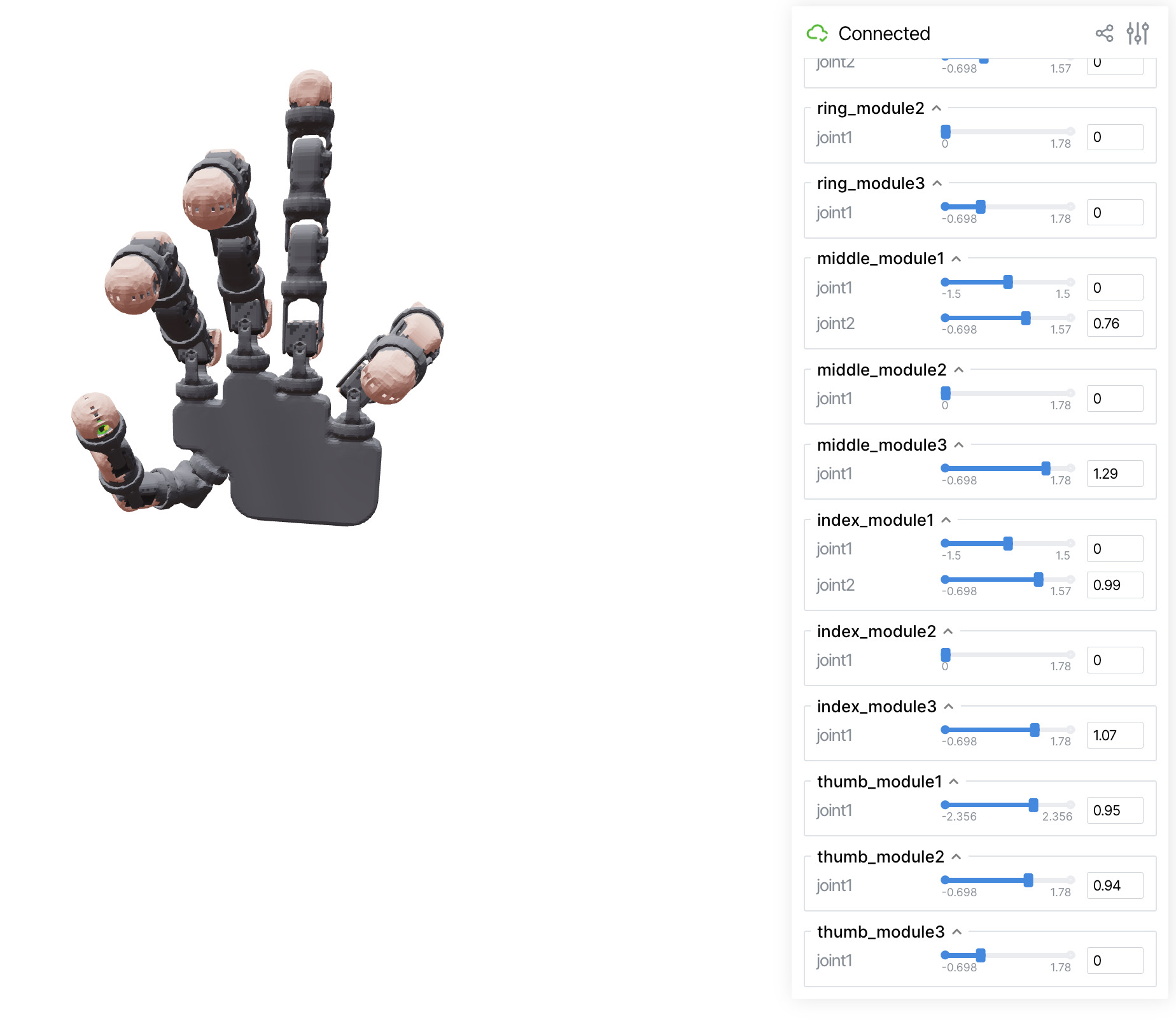
Features:
Web-based visualization accessible from any browser
Interactive joint angle sliders organized by link groups
Real-time robot pose updates
Works in headless environments (no display server required)
Remote access capability over network